
Sell with Amazon FBA through your Magento store

Magento Integration for Amazon, eBay and Walmart
Connecting Magento to Amazon FBA is simpler than ever with M2E Pro extension. Link your store to Amazon’s fulfillment services in several quick steps. Import, manage, and synchronize your catalog and orders with Amazon FBA right from your Adobe Commerce dashboard.

List your Magento catalog
on Amazon FBA with ease

    Find the right ASIN/ISBN for your future FBA listings through automatic search. If your items are new to the marketplace, M2E Pro will help you create an item listing page and assign the proper Product Type and attributes to make your offer stand out.

Synchronize Amazon FBA stock with Magento

    See Amazon FBA inventory on Magento and maintain accurate quantities across your stores and Amazon’s fulfillment centers. M2E Pro guarantees the accuracy of your stock levels by automatically updating your Adobe Commerce inventory source based on the Amazon FBA quantity.

Handle Amazon FBA listings effortlessly

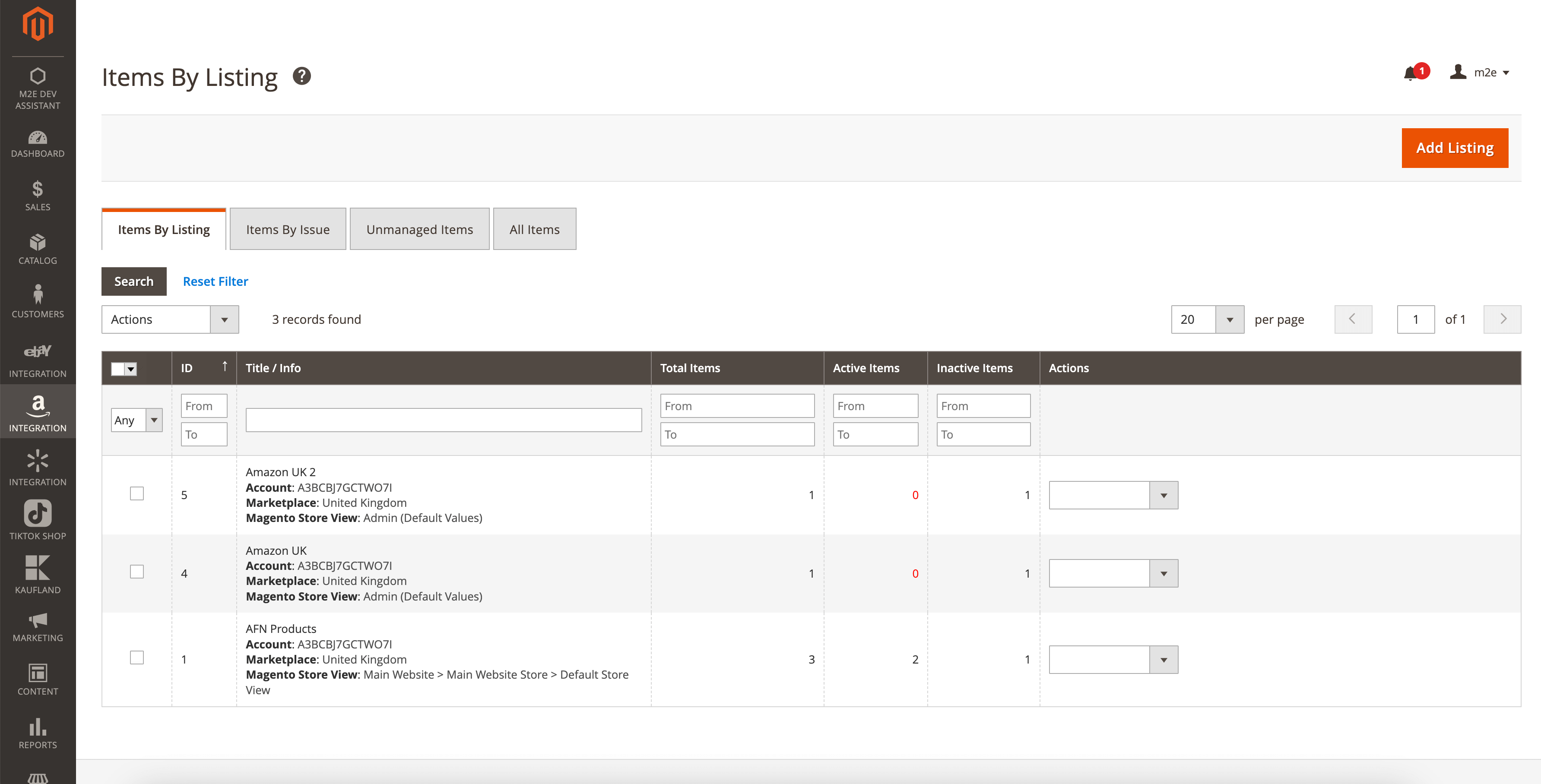
    With M2E Pro, you can easily import existing FBA Amazon seller listings and align them with your Adobe Commerce catalog data. Tweak the quantities and pricing of your FBA items on Amazon to implement flexible selling strategies and craft appealing offers for your shoppers.

Streamline Amazon FBA order handling

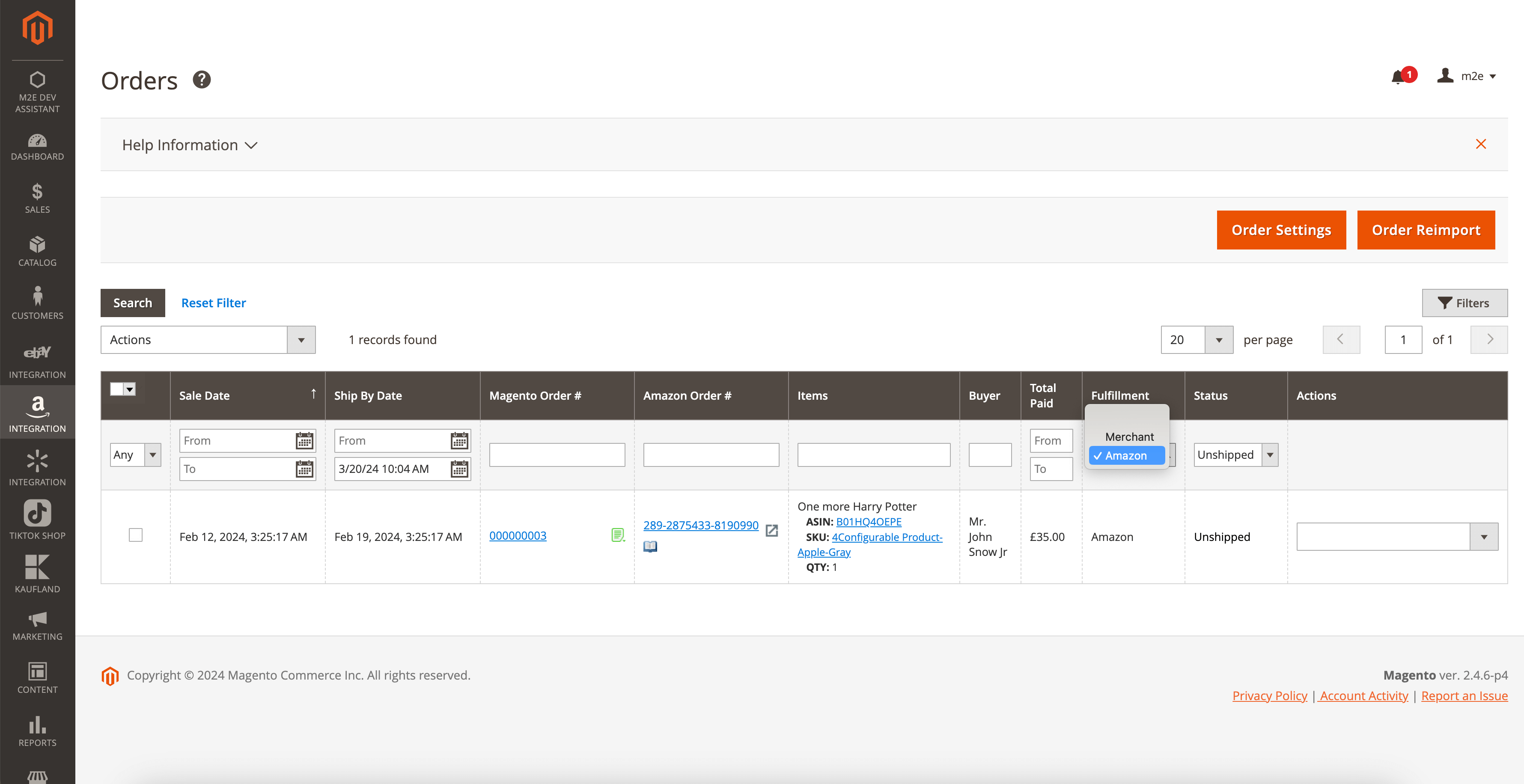
    Magento Amazon FBA extension by M2E Pro lets you handle FBA orders with the same efficiency as merchant-fulfilled ones. Automate Adobe Commerce order creation for imported FBA orders in the Store View of your choice for a unified order handling system.

Access comprehensive Amazon FBA analytics

    Connect to M2E Analytics service for an in-depth analysis of your FBA inventory by Brands, Categories, and Product Types. Synchronize your Adobe Commerce product costs with your Amazon FBA sales data and get your profits automatically calculated for you.

Boost your Amazon FBA sales with smart repricing

    Automate the dynamic pricing updates through M2E Amazon Repricer to ensure your FBA offers always stay competitive. Create customized repricing rules for your FBA listings and raise your opportunities for dominating the Featured Offer position.
Start selling on Amazon FBA today with the M2E Pro Magento Extension!
Product analytics
Use case

The problem

Our setup is pretty complex. We use Magento, and we have multiple warehouses. Each of our sales channels, including Amazon FBA, operates with its own inventory source in Magento. The big challenge was keeping our Amazon FBA stock updated in Magento without having to do it manually. It was time-consuming and, frankly, a bit of a headache.
Marchey Group Inc
Marchey Group Inc

The solution

The team at M2E Pro understood exactly what we needed and came up with a solution in a short time. They upgraded their system to automatically synchronize product stock in Magento based on the FBA quantity. Now, our FBA inventory source in Magento gets updated with the latest stock information from Amazon fulfillment centers, and we don’t have to check or update the remaining stock ourselves.

Discover our integrations to boost your business

Start selling globally

Register on Amazon and get a 30-day free trial of M2E Pro. Select your marketplace to begin
Flag of United Kingdom United Kingdom
Sign up now and start selling on Amazon UK
Flag of Spain Spain
Sign up now and start selling on Amazon Spain
Flag of Germany Germany
Sign up now and start selling on Amazon Germany
Flag of Italy Italy
Sign up now and start selling on Amazon Italy
Flag of France France
Sign up now and start selling on Amazon France
Flag of Ireland Ireland
Sign up now and start selling on Amazon Ireland
Flag of Sweden Sweden
Sign up now and start selling on Amazon Sweden
Flag of Poland Poland
Sign up now and start selling on Amazon Poland
Flag of Belgium Belgium
Sign up now and start selling on Amazon Belgium
Flag of Netherlands Netherlands
Sign up now and start selling on Amazon Netherlands
Flag of United States United States
Flag of Canada Canada
Flag of Turkey Turkey
Flag of Japan Japan
Flag of Singapore Singapore
Flag of UAE UAE
Flag of India India
Flag of Brazil Brazil
Flag of Australia Australia
Flag of Mexico Mexico

Manual & Support

Need more help?

To streamline the support process and receive a prompt response during working hours, please initiate your support request online by submitting a ticket.
Contact Us Now

FAQs

How to start with Amazon FBA?

Initially, you must sign up for a merchant profile and select a suitable plan. Once your profile is active, you can enroll in the FBA program, where you’ll have the option to create new listings for FBA or convert your existing offers to be fulfilled by Amazon.

It’s also crucial to ensure your goods meet Amazon’s FBA requirements, which involves proper preparation, labeling, and packaging before sending your inventory to Amazon’s fulfillment centers. Follow a step-by-step Amazon FBA guide available in M2E Pro blog.

What are Amazon FBA fees?

They are structured around the pay-as-you-go principle. The fulfillment cost is one of the primary fees, covering services such as packing, shipping orders, handling customer requests and returns. This fee varies depending on the item’s type, size, and actual/dimensional weight.

Merchants are subject to monthly storage costs, which are calculated according to the item’s size, volume, the average daily number of units stored, whether the goods are classified as dangerous, and the time of year. There’s also an aged inventory fee for items that remain in an Amazon’s fulfillment center for over 181 days.

What products can I sell on Amazon FBA?

Amazon FBA accommodates various product categories, with some exceptions, such as dangerous goods, alcoholic beverages, tires, etc. Please consult the FBA-restricted items list available in Amazon’s official documentation. As of 2024, the most profitable categories to consider for Amazon FBA include Books, Home & Kitchen Essentials, Baby Products, Jewelry, Workout Wear, and Electronics.

How can I optimize my listings for Amazon FBA?

Start with thorough keyword research to identify relevant keywords that potential shoppers might use to find items like yours, and incorporate these keywords into your product descriptions and titles. Ensure your product title is clear, descriptive, and includes key attributes such as brand, size, and color.

Highlighting key features in bullet points can also improve your listing’s relevance in customer searches. Include multiple high-quality photos showing the item from various angles, in use, and emphasizing its features. Also, consider employing a competitive pricing strategy through an Amazon Repricer tool to adjust your prices dynamically.

How do I integrate Amazon FBA with my Magento store?

You’ll need a dedicated connector tool to smoothly link your Adobe Commerce (Magento) platform and your FBA profile. Magento Amazon FBA integration by M2E Pro ranks as one of the leading connector tools. Using M2E Pro, store owners can efficiently create and handle their FBA listings, monitor orders straight from the Adobe Commerce admin panel. The extension facilitates real-time updates to stock levels and synchronizes listing changes between Amazon FBA and Magento Catalog.

How do I manage inventory between Magento and Amazon FBA?

A specialized tool that facilitates real-time sync of your inventory across both platforms is a must-have. M2E Pro extension is designed to link your Adobe Commerce (Magento) catalog with your Amazon FBA inventory. This tool auto-updates your Adobe Commerce inventory source based on changes in Amazon’s Fulfillment Centers, helping to maintain precise quantities across your store and channel.

User reviews

We are working with M2EPRO integration since 2016 and we didn’t find better !
We can push easily all our catalogue products ( 15000 items ).
We can update orders and shipments.
We can update stock articles every 5 minutes. We didn’t find other integration with a update time so short.
MEPRO integration is very interesting about running cost.
You can push many articles on many marketplace for a small subscription.
You will pay a small rate to M2EPRO only if you are making orders.
We strongly recommend M2E PRO integration to sellers working on marketplaces like Ebay, Amazon and Walmart

4,8
M2E Pro review
Average rating of our users in the Magento marketplace
Check out

Recommended resources
for expanding your Amazon FBA business

How to Sell on Amazon FBA: Beginners Guide
In this article, we’ll take a closer look at FBA enrollment steps, fees, the benefits of the service, as well as helpful tips on gaining the maximum from FBA.

Learn more

How to Sell Restricted Products on Amazon? M2E Pro Guide 2025
Before starting a business on Amazon, sellers often wonder which products are best for sale. Don’t be surprised if you get the notification “You need approval to list in this brand” while listing products.

Learn more

Amazon’s New On-Time Delivery Rules & Shipping Settings: Changes for M2E Pro Users
Learn how Amazon’s new OTDR policy impacts sellers and discover tips to maintain high delivery standards with M2E Pro’s helpful tracking features.

Learn more

GPSR Requirements: What’s New for Amazon and eBay Sellers in the EU?
Do you sell on any marketplaces like eBay or Amazon in Europe? The new General Product Safety Regulation EU (GPSR) …

Learn more