
Transform Multi-Channel Order Management with
Amazon MCF on
Adobe Commerce

Magento Integration for Amazon, eBay and Walmart
Integrate Amazon MCF’s world-class fulfillment capabilities directly into your Adobe Commerce (Magento) platform. Use the M2E Amazon MCF Magento 2 extension to effortlessly control and fulfill orders across different marketplaces, starting with eBay, Walmart, TikTok Shop, Temu, Kaufland, Otto, Onbuy and Magento website orders.

Productive multi-channel order fulfillment

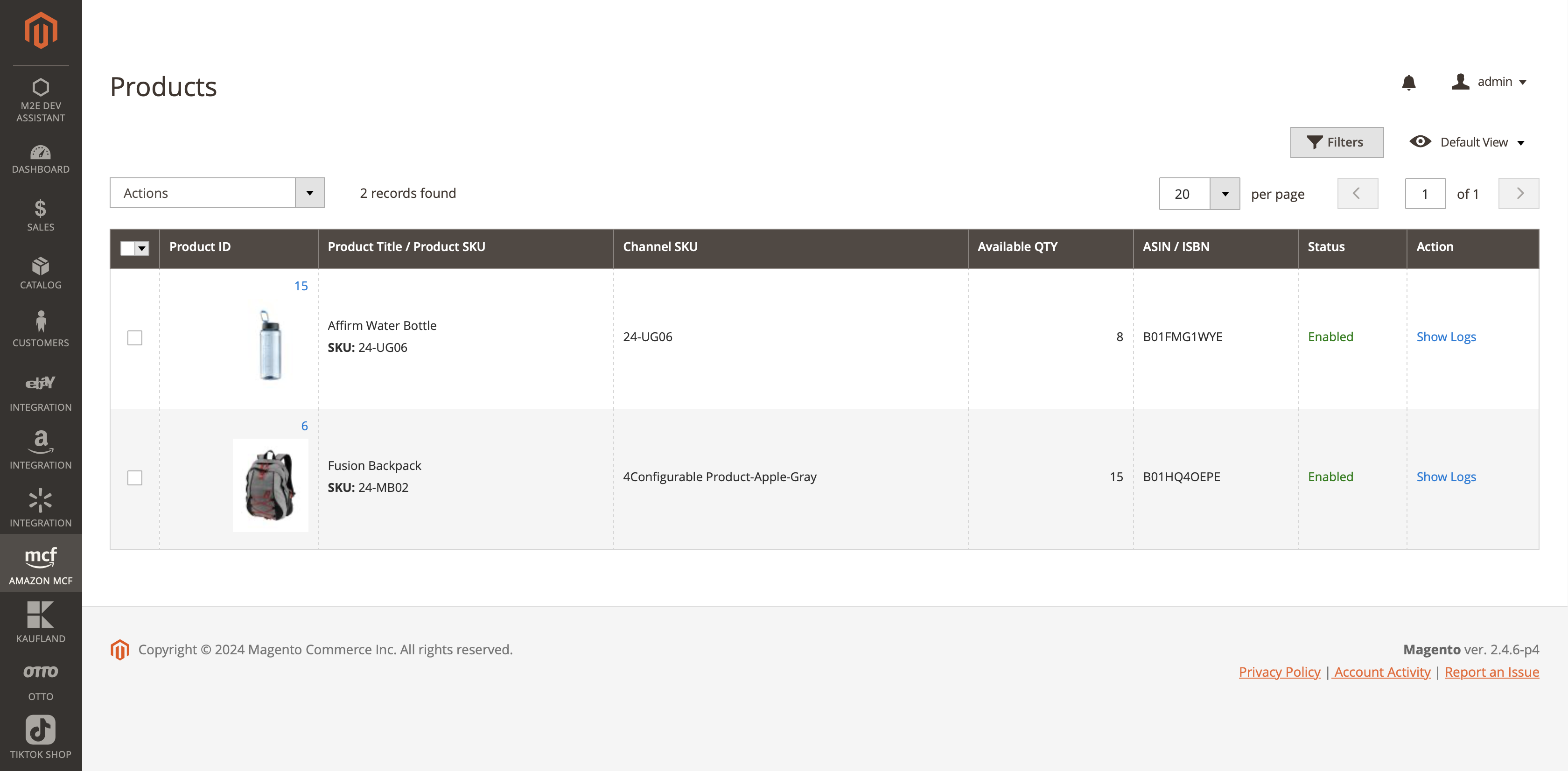
    Easily link your Magento store with Amazon MCF and use your Fulfillment by Amazon (FBA) inventory to ship eBay, Walmart, TikTok Shop, Temu, Kaufland, Otto, Onbuy and Magento website orders. Enjoy the simplicity of managing orders with real-time tracking updates synchronized with Magento.

Automated order processing

    The M2E MCF extension automatically sends orders from online marketplaces like eBay, Walmart, TikTok Shop, Temu, Kaufland, Otto, Onbuy and Magento to be shipped by Amazon’s Multi-Channel Fulfillment from your FBA inventory. Get fully trackable MCF orders at every stage, from purchase to delivery, keeping you and your customers informed.

Centralized inventory management

    Streamline your inventory operations by centralizing stock in Amazon’s fulfillment centers. This minimizes the risk of stockouts and optimizes inventory utilization, so your products are always ready to meet customer demand across all channels.

Optimized e-commerce operations

    Simplify inventory handling and reduce operational costs. The M2E MCF extension facilitates faster order processing and boosts your store’s overall efficiency and buyer satisfaction, which scales with your growth.

Flexible packaging options

    Maintain a consistent brand experience across different marketplaces with Amazon MCF’s unbranded packaging feature. Orders fulfilled through MCF are shipped in plain packaging at no additional cost, allowing your business to remain the face of every delivery.

Seamless integration with M2E Pro

    The M2E MCF extension integrates perfectly with your present M2E Pro setup. It connects your Magento, eBay, TikTok Shop, and Amazon accounts and listings, providing a unified approach to multi-channel e-commerce management.
Product analytics
Use case

The problem

Sellers often have trouble maintaining real-time synchronization between Magento inventory and order data with Amazon’s fulfillment centers

The solution

Integrate Amazon Multi-Channel Fulfillment (MCF) capabilities into your Adobe Commerce (Magento) platform using the M2E MCF extension. It allows you to use your Amazon FBA stock to complete eBay, TikTok Shop, Temu, Kaufland and Magento website orders. Your Magento store can automatically send orders to Amazon’s MCF service, ensuring that stock levels and order statuses are consistently updated. With the M2E MCF extension, you can focus on business growth rather than logistical complexities.

Discover our integrations to boost your business

FAQs

How do I use Multi-Channel Fulfillment (MCF) on Amazon?

Begin by dispatching some or all of your items to one of Amazon’s fulfillment centers. If you’re already participating in Fulfillment by Amazon (FBA), there’s no need for further setup. MCF will automatically apply to your existing inventory so that you can complete orders from Amazon and other platforms.

Next, select how you wish to handle order fulfillment. MCF provides several options, such as individual or bulk order creation, or API integration for automated order handling through your own site. If you use M2E Pro to upload Magento items to eBay and Amazon, or M2E Connect to sell on TikTok Shop, take advantage of the M2E MCF extension to complete marketplace orders based on FBA stock.

How to make an MCF ASIN on Amazon?

Firstly, you need to have an active FBA profile and create your listings there. Once your items are listed and stored in Amazon’s fulfillment centers, they automatically become eligible for MCF.

There is no separate ASIN specifically for MCF; the same ASINs used for Amazon listings are used for fulfilling orders from other marketplaces through MCF. Simply use these existing ASINs to complete orders via the MCF interface when buyers purchase through your external websites or other marketplaces.

What are the fees for Amazon MCF?

The pricing structure of Multi-Channel Fulfillment by Amazon is influenced by various factors, including the physical characteristics of your items, the type of shipping service selected, and the destination. Each order incurs a fulfillment fee, which covers the costs of completing the order. Amazon also charges monthly storage fees that depend on the volume of space your inventory occupies within its warehouses.

What sales channels can I connect to the M2E extension to fulfill orders via Amazon MCF?

With the M2E extension, you can connect Magento, eBay,Walmart, Temu, Kaufland, Otto, Onbuy and TikTok Shop to Amazon MCF and ship your multi-channel orders using FBA inventory. Currently, the extension automates order fulfillment only if you are a user of M2E Pro.

We’re continuously working to add more marketplaces so our solution grows alongside your business needs. Stay connected for news on upcoming integrations.

Can I customize the delivery speed of my MCF orders?

Sellers have the flexibility to customize the delivery speed for their MCF orders. Amazon MCF lets you select either Standard delivery (3-5 business days) or Expedited delivery (1 business day). This way, you can offer the right shipping option based on your customers’ expectations and priorities.

How do I get started with the M2E Amazon MCF extension for Magento?

Start by installing the M2E Amazon MCF extension from the Adobe Commerce marketplace. Make sure your M2E Pro version is 1.61.0 or higher, and link an Amazon seller account with FBA inventory enabled for MCF. Next, activate the FBA to Magento Stock Synchronization feature in M2E Pro to ensure your inventory is always up-to-date. Finally, connect other channels like eBay or TikTok Shop for expanded fulfillment options.

For more detailed instructions, visit our guide.

Manual & Support

Need more help?

To streamline the support process and receive a prompt response during working hours, please initiate your support request online by submitting a ticket.
Contact Us Now

User reviews

Excellent integrator for Magento and Amazon/Ebay

It’s an excellent product, and the support staff is very helpful and professional. We’ve been using it for many years now and I highly recommend.

4,8
M2E Pro review
Average rating of our users in the Magento marketplace
Check out